Starter
One room, up to 20 wines, the guest guide, your branding, mailing-list capture. Quarterly updates.
Pour Guide
Pour Guide runs on your domain. Guests scan a code at the table and every wine in the flight is explained. Your team opens the same app for the schedule, the SOPs, and the pour sheet. Reps pull shelf talkers and reorder from a QR code. Nothing to download, nothing to install.
Every tasting room runs on three things that never live in the same place. The guest wants to know what grape this is and where the vineyard sits. The new hire wants to know when they work and how to open the room. The rep wants a shelf talker for Saturday and a way to reorder without a phone call.
Today that is a printed tasting sheet, a group text, and a Dropbox folder nobody can find. Pour Guide puts all three on one address.
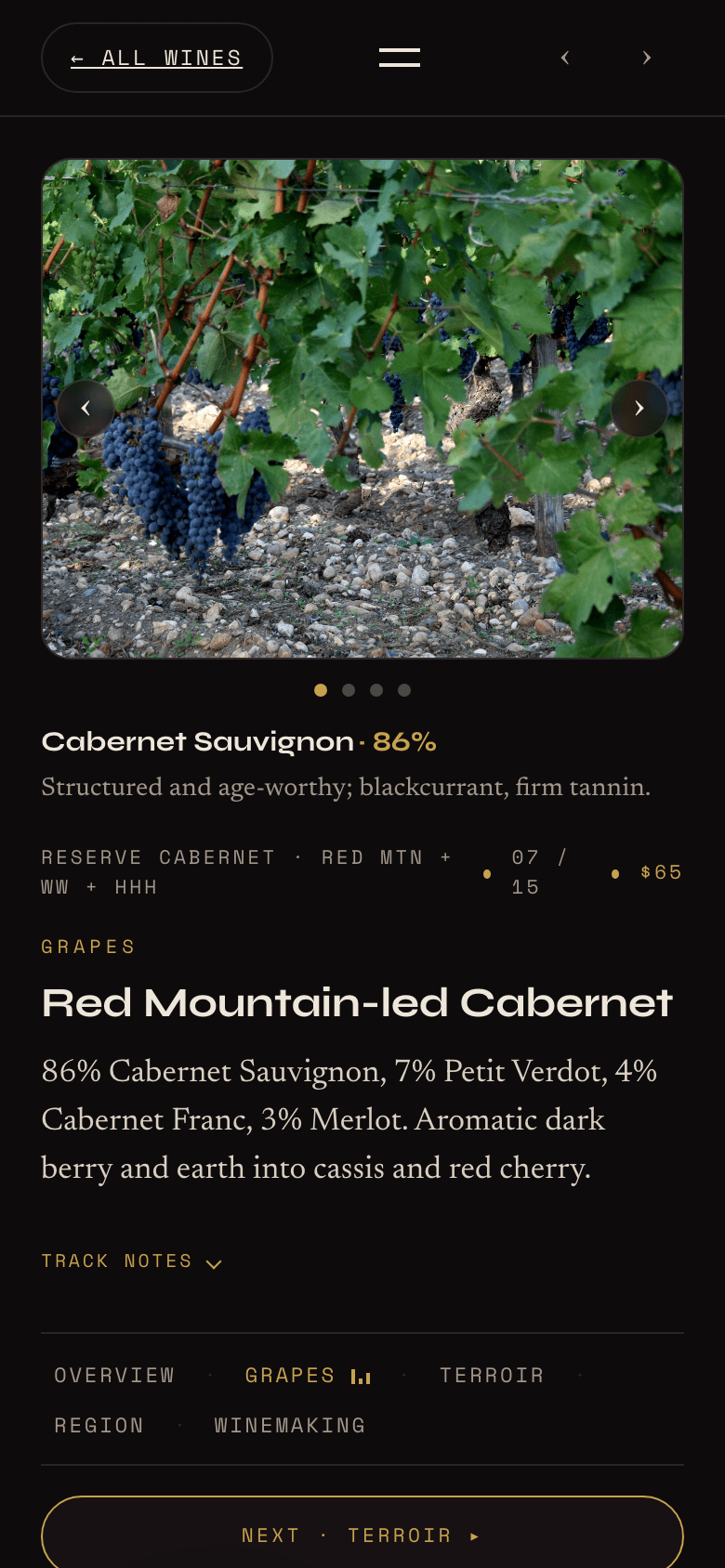
Scan the code and the flight is on their phone. Each wine has its own page: the grape and why it grows here, the vineyard and the soil under it, the region, how the wine was made, the scores, and what to pour it with. Written in plain language, in your voice, by someone who has poured for thousands of guests.
Events with RSVP and calendar links. The club join button one tap away. A mailing-list signup that happens while the guest is still holding the glass. A live events view for the screen behind the bar.
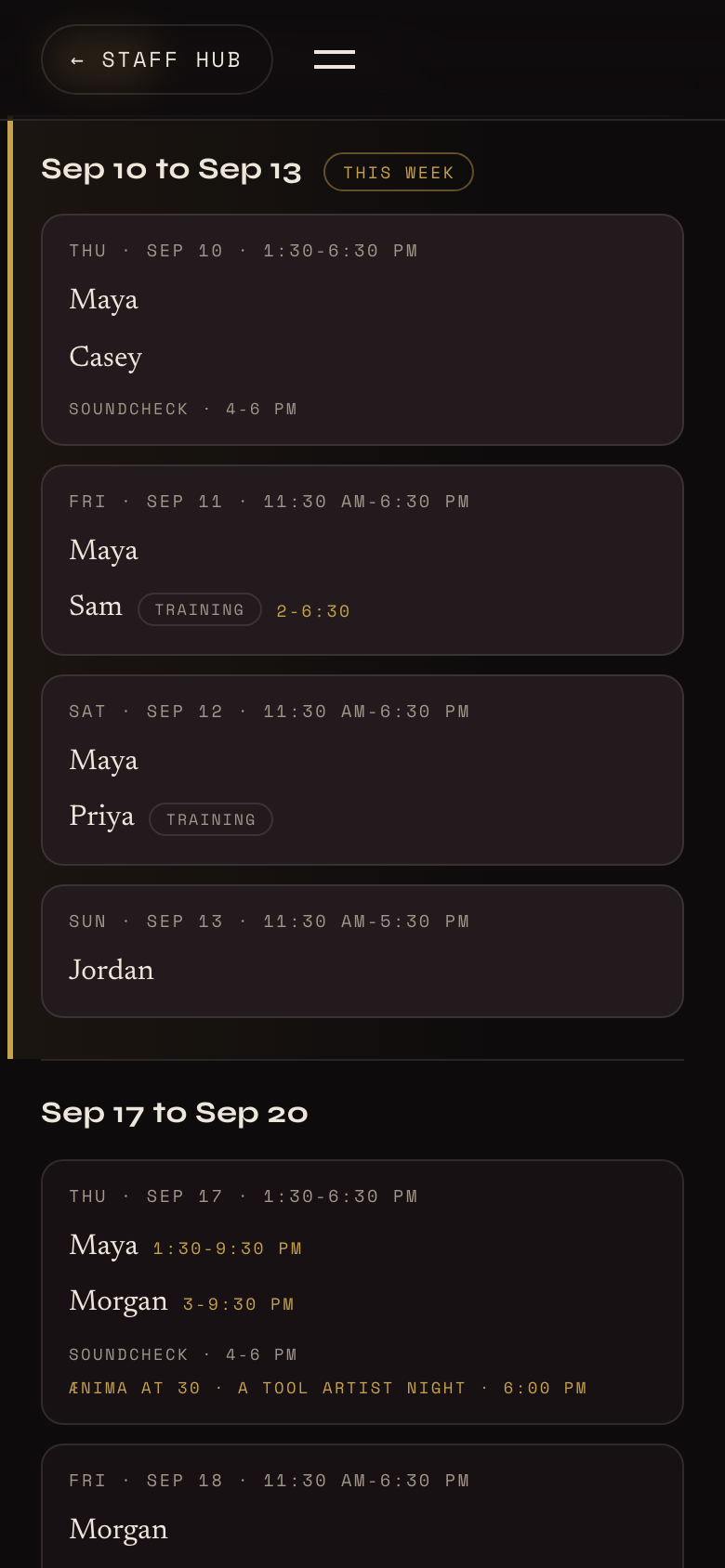
The Staff Hub sits behind a password on the same app. The schedule shows both rooms week by week; staff claim open shifts, swap, and leave availability notes, and a manager publishes the week when it is ready. Confirmation texts write themselves.
Next to the schedule: opening and closing SOPs, pour standards, the pour sheet, staff picks and sales saves, and a quiz on the lineup so a new pourer sounds like the winemaker by week two.
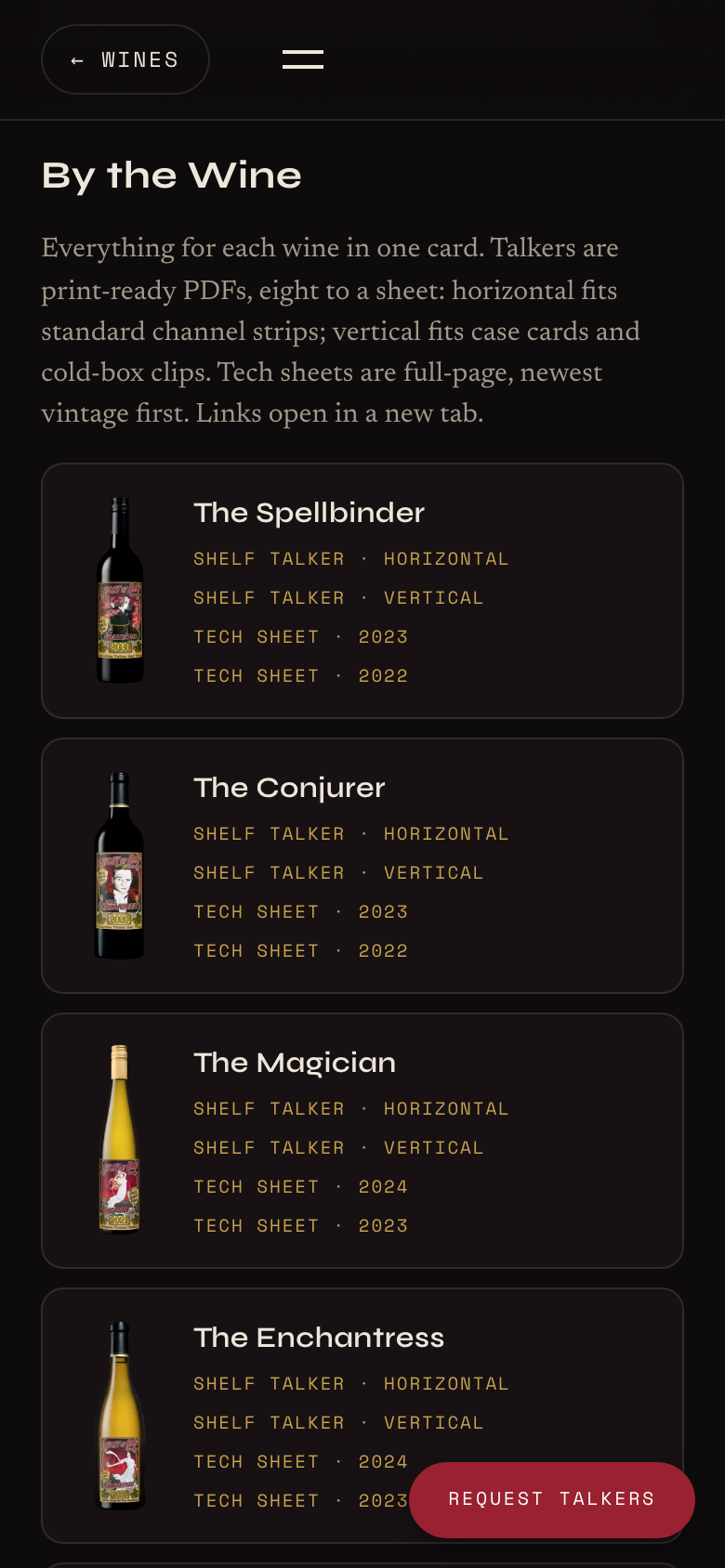
Every wine gets a shelf talker, vertical and horizontal, eight to a page, and a tech sheet. Reps and retailers download what they need from a link in the footer, and the back of every talker carries a QR code to reorder. Limited and allocated wines get their own section.
One room, up to 20 wines, the guest guide, your branding, mailing-list capture. Quarterly updates.
Up to three rooms, up to 40 wines, plus events with RSVP, the full Staff Hub with scheduling and SOPs, the Trade Kit, and the live events screen. Monthly updates.
Unlimited rooms and wines, manager scopes by room, private-events booking, a custom design pass, Seth-written notes on every wine, on-site launch, and same-day support.
Setup is a one-time fee. The monthly covers hosting, updates, and support. Pricing is on the call.
A 30-minute call. Your rooms, your list, your team, what you want guests and reps to do.
Content intake. You send the wine list, tech sheets, roster, hours, and brand files. We write the education layer and build the instance.
Review. You and a manager see it on your phones. One round of edits.
Launch. Domain connected, staff passwords issued, table tents printed, team walked through it. Three to four weeks from the call.
See it live. The first Pour Guide has been running a Seattle tasting room since summer 2026. Open it on your phone: punkrockwines.com
No. It sits beside it on a subdomain or its own domain and links back to your site and store.
It links to your club signup and store on OrderPort, Commerce7, WineDirect, Tock, or any URL. Deeper sync is scoped at Estate.
We do, from your tech sheets and a call with the winemaker. You approve every word.
Managers edit the schedule and roster directly. Wine, event, and menu changes go to us and land within your plan's turnaround.
The Staff Hub sits behind a shared staff password and the admin behind per-manager passwords. Nothing about your team is public.
Send the change. Starter gets a quarterly refresh, Standard monthly, Estate whenever.
You own your content, your list, and your domain. The app is licensed for as long as you are a customer.
Got it. You will hear from Seth within two business days.
Newsletter
Wines I am drinking, what I am teaching, and the occasional thing worth buying. A few times a season, never spam, unsubscribe anytime.